Sign In Sign In

Continue with Google
or use

Forgot Password?

Don't have account, Sign Up Here

Forgot Password Forgot Password

Lost your password? Please enter your email address. You will receive a link and will create a new password via email.

Have an account? Sign In Now

Sorry, you do not have permission to ask a question, You must login to ask a question.

Continue with Google
or use

Forgot Password?

Need An Account, Sign Up Here

Please briefly explain why you feel this question should be reported.

Please briefly explain why you feel this answer should be reported.

Please briefly explain why you feel this user should be reported.

Sign InSign Up

Nuq4

Nuq4 Logo Nuq4 Logo
Search
Ask A Question

Mobile menu

Close
Ask a Question
  • Nuq4 Shop
  • Become a Member

Social Media

Share
  • Facebook
1 Follower
7 Answers
212 Questions
  • Recent Questions
  • Most Answered
  • No Answers
  • Most Visited
  • Most Voted

Nuq4 Latest Questions

  • 0
Claire
In: Amazon Prime Video

What is the best new drama movie on Amazon Prime Video?

  • 0
  1. Hannah
    Added an answer on November 23, 2023 at 2:04 am
    This answer was edited.

    Here are some of the best new drama movies on Amazon Prime Video: A Million Miles Away (2023): This biopic tells the story of José M. Hernández, who became the first-ever Mexican-American astronaut at NASA. Michael Peña plays Hernández, while Rosa Salazar plays his wife, Adela Hernández. The film chRead more

    Here are some of the best new drama movies on Amazon Prime Video:

    • A Million Miles Away (2023): This biopic tells the story of José M. Hernández, who became the first-ever Mexican-American astronaut at NASA. Michael Peña plays Hernández, while Rosa Salazar plays his wife, Adela Hernández. The film chronicles Hernández’s journey from being a child in a struggling migrant family to his education, training, and family life on his way to achieving a dream that few have ever attained.
      Million Miles Away movie poster
    • Maxine’s Baby: The Tyler Perry Story (2023): This film is a heartwarming story about a woman who is struggling to raise her child after her husband is sent to prison. With the help of her family and friends, she learns to overcome adversity and build a better life for herself and her child.
      Maxine's Baby: The Tyler Perry Story movie poster
    • Book Club: The Next Chapter (2023): This comedy-drama is a sequel to the 2018 film “Book Club.” The film follows four friends who continue to meet and discuss books, even as their lives change in unexpected ways.
      Book Club: The Next Chapter movie poster
    • Sound of Metal (2020): This drama film tells the story of Ruben, a drummer whose entire life is upended when he suddenly loses his hearing. Riz Ahmed gives a devastatingly good performance as Ruben, who struggles to come to terms with his new reality and find a way to move forward.
      Sound of Metal movie poster
    • Women Talking (2022): This drama film tells the story of a group of women in an isolated religious community who are forced to confront the reality of sexual abuse after several of them are drugged and assaulted. The film is an unflinching look at the power of silence and the struggle for justice.
      Women Talking movie poster

    These are just a few of the many great drama movies available on Amazon Prime Video. I hope you enjoy watching them!

    See less
    • 0
    • Share
      Share
      • Share onFacebook
      • Share on Twitter
      • Share on LinkedIn
      • Share on WhatsApp
  • 1 Answer
Answer
  • 0
Anuradha
In: Facebook, Facebook Messenger

How to deactivate Facebook messenger

  • 0
How to deactivate Facebook messenger
  1. Ava
    Added an answer on September 19, 2023 at 11:46 am

    If you have the Messenger app installed on your mobile device, it will be deactivated after you deactivate your Facebook account. If you don't know how to deactivate your Facebook account, please check this out : https://nuq4.com/question/how-to-deactivate-facebook-account/

    If you have the Messenger app installed on your mobile device, it will be deactivated after you deactivate your Facebook account. If you don’t know how to deactivate your Facebook account, please check this out : https://nuq4.com/question/how-to-deactivate-facebook-account/

    See less

    • 0
    • Share
      Share
      • Share onFacebook
      • Share on Twitter
      • Share on LinkedIn
      • Share on WhatsApp
  • 1 Answer
Answer
  • 0
Wahab SaeedResearcher
In: TikTok

how to send pictures on TikTok

  • 0
how to send pictures on TikTok
  1. Best Answer
    Wahab Saeed Researcher
    Added an answer on September 27, 2023 at 1:56 am

    In the fast-paced world of social media, platforms continually evolve to provide new ways for users to express themselves creatively. TikTok, the short-form video giant, is no exception to this trend. While TikTok is renowned for its engaging videos, many users might be surprised to learn that theyRead more

    In the fast-paced world of social media, platforms continually evolve to provide new ways for users to express themselves creatively. TikTok, the short-form video giant, is no exception to this trend. While TikTok is renowned for its engaging videos, many users might be surprised to learn that they can also send pictures through the platform. Yes, TikTok has embraced the power of visual communication beyond videos. In this guide, we’ll walk you through the process of sending pictures on TikTok, unlocking a new dimension of expression.


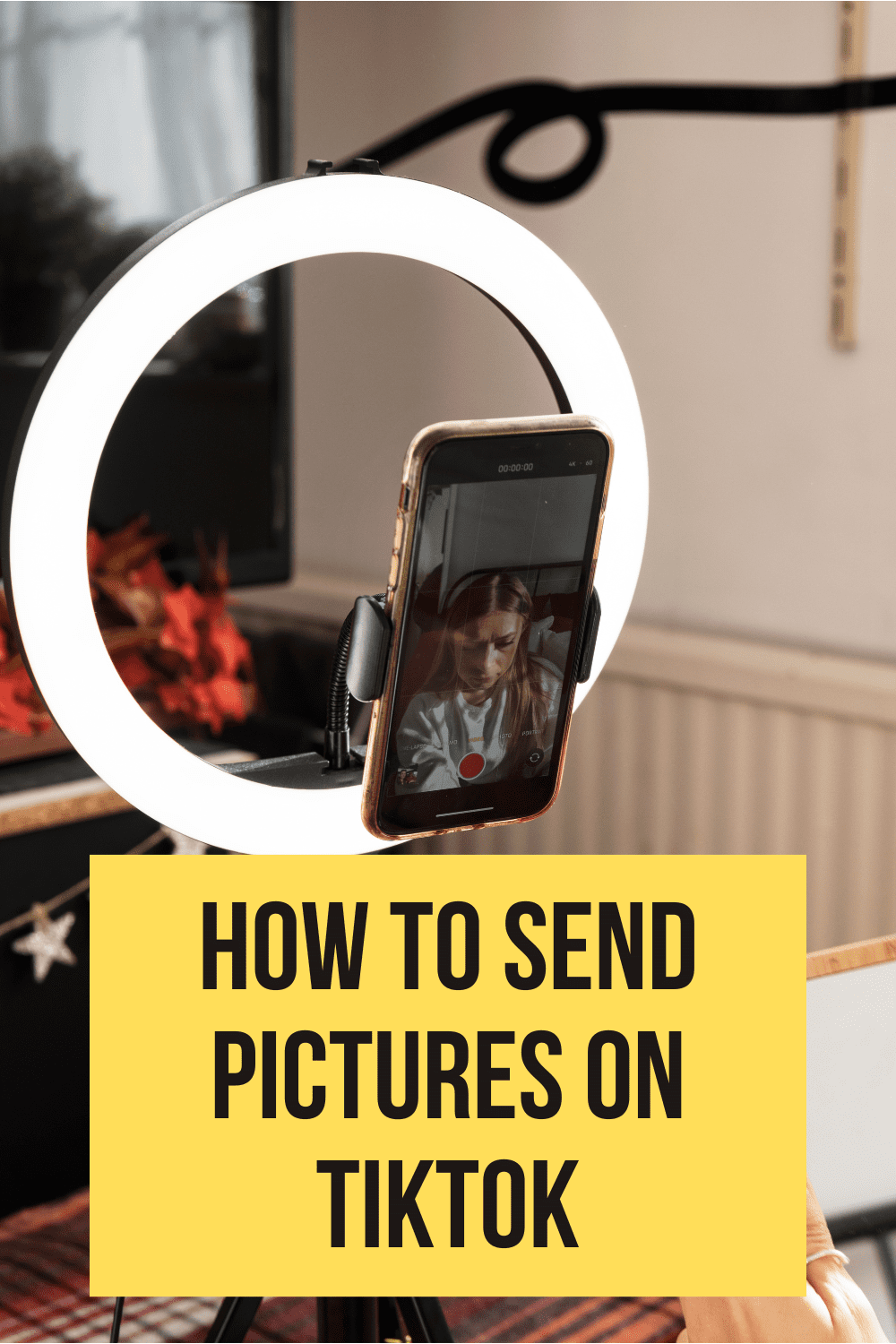
    how to send pictures on tiktok

    how to send pictures on tiktok

    Why Send Pictures on TikTok?

    Before we delve into the “how,” let’s discuss the “why.” TikTok, primarily known for its short video clips, might seem an unlikely platform for sharing pictures. However, there are several scenarios where sending pictures can be both fun and practical:

    1. Personal Connections: Sometimes, a picture is worth a thousand words, and sending a picture can convey emotions and experiences that words alone cannot.

    2. Creative Expression: TikTok isn’t just for dance challenges and lip-syncing. It’s a platform for all forms of creative expression, including photography and visual storytelling.

    3. Collaborations: If you’re collaborating with other TikTok users, sharing pictures can be an efficient way to exchange ideas or content.

    4. Feedback and Questions: Sharing a picture can be an effective way to ask for feedback or get answers to visual questions.

    5. Memes and Trends: In the world of internet culture, memes and visual trends often go viral. Sharing pictures on TikTok can be your ticket to joining these trends.

    Now that we understand the “why,” let’s dive into the “how.”

    Sending Pictures on TikTok: A Step-by-Step Guide

    Sending pictures on TikTok might not be as intuitive as it is on dedicated messaging apps, but it’s certainly possible. Here’s a step-by-step guide to help you master this feature:

    Step 1: Open TikTok

    Naturally, the journey begins by opening the TikTok app on your mobile device. Ensure you’re logged into your TikTok account.

    Step 2: Locate the User

    To send a picture, you need to find the TikTok user to whom you want to send it. You can do this by searching for their username or locating their profile through your followers or following list.

    Step 3: Start a Chat

    Once you’re on the user’s profile, you’ll see a “Message” button. Tap on it to initiate a chat with them. This is where you’ll send your picture.

    Step 4: Compose Your Message

    In the chat window, you’ll see a text input field at the bottom of the screen. Tap on this field to bring up your keyboard.

    Step 5: Attach Your Picture

    Now, here comes the exciting part. Look for the small camera icon or the attachment icon (often represented by a paperclip or camera) near the text input field. Tap on it.

    Step 6: Select Your Picture

    Your device’s gallery or camera roll will open. Browse through your photos and select the picture you want to send. After selecting it, tap “Send” or the equivalent action on your device.

    Step 7: Add a Message (Optional)

    You can include a brief message with your picture to provide context or simply to accompany your visual communication. Type your message in the text input field if desired.

    Step 8: Hit Send

    Once you’re satisfied with your message and attached picture, it’s time to hit the “Send” button. Your message, along with the picture, will be sent to the recipient.

    Tips and Considerations

    Now that you know how to send pictures on TikTok, here are some additional tips and considerations:

    • Remember that TikTok is primarily a video-sharing platform, so use pictures thoughtfully and consider their relevance within the platform’s context.
    • Respect privacy and obtain consent before sharing someone else’s pictures.
    • Be mindful of the file size and quality of the pictures you send, as they can affect load times and user experience.
    • Keep in mind that TikTok’s messaging feature is relatively basic compared to dedicated messaging apps. If you need advanced messaging features, consider using other messaging platforms.

    And there you have it—an exploration of how to send pictures on TikTok. This feature opens up new opportunities for creative expression and personal connections on this dynamic platform. So, go ahead, capture that perfect moment, and share it with the TikTok community through pictures.

    TikTok continues to evolve, and it’s exciting to see how users find innovative ways to use this platform beyond its original purpose. As you navigate the world of TikTok, remember that the possibilities for creativity are boundless, whether through videos or pictures.

    Happy TikToking!

    See less
    • 0
    • Share
      Share
      • Share onFacebook
      • Share on Twitter
      • Share on LinkedIn
      • Share on WhatsApp
  • 1 Answer
Answer
  • 1
Claire
In: Netflix

What is the best new horror movie on Netflix?

  • 1
  1. Sana
    Added an answer on November 16, 2023 at 5:22 am

    Here are some of the best new horror movies on Netflix in 2023, as rated by critics and viewers: The Boogeyman: A family finds themselves terrorized by a sinister entity that lurks in the shadows, preying on their deepest fears. (2023) Resurrection: A woman's carefully constructed life is thrown intRead more

    Here are some of the best new horror movies on Netflix in 2023, as rated by critics and viewers:

    • The Boogeyman: A family finds themselves terrorized by a sinister entity that lurks in the shadows, preying on their deepest fears. (2023)

    • Resurrection: A woman’s carefully constructed life is thrown into chaos when her long-lost love reappears, seemingly unchanged after all these years. But as their relationship deepens, she begins to suspect that his return may be something more sinister than a second chance. (2023)

    • The Invitation: A woman is invited to a lavish dinner party hosted by her ex-husband and his new fiancée. As the night progresses, she becomes increasingly uncomfortable and suspicious, realizing that the gathering may not be as innocent as it seems. (2022)

    • We Have a Ghost: When a family moves into a new home, they soon discover that it’s haunted by a friendly ghost named Ernest. At first, the family is amused by their ghostly cohabitant, but they soon realize that Ernest is more than just a spectral presence. (2023)

    • Run Rabbit Run: A woman’s life is turned upside down when her daughter falls under the spell of an enigmatic stranger in the woods. Desperate to save her child, she must confront her own demons and the dark secrets of her past. (2023)

    These are just a few of the many great horror movies available on Netflix. With so many options to choose from, you’re sure to find something that will keep you up all night.

    See less
    • 0
    • Share
      Share
      • Share onFacebook
      • Share on Twitter
      • Share on LinkedIn
      • Share on WhatsApp
  • 1 Answer
Answer
  • 0
Anuradha
In: Facebook

How to find your Facebook password if forgotten

  • 0
  1. Ava
    Added an answer on September 18, 2023 at 1:27 pm

    If you've forgotten your Facebook password, you can reset it through the "Forgot Password" feature. Here's how: Go to the Facebook Login Page: Visit www.facebook.com if you're not already on the site. Click on "Forgot Password?": Beneath the password field, you'll see a "Forgot Password?" link. ClicRead more

    If you’ve forgotten your Facebook password, you can reset it through the “Forgot Password” feature. Here’s how:

    1. Go to the Facebook Login Page: Visit www.facebook.com if you’re not already on the site.
    2. Click on “Forgot Password?”: Beneath the password field, you’ll see a “Forgot Password?” link. Click on it.
    3. Find Your Account: On the next page, enter your email address, phone number, username, or full name associated with your Facebook account. Then, click “Search.”
    4. Select Your Account: If Facebook finds an account matching the information you provided, it will display your profile picture and username. Click “This is my account.”
    5. Reset Your Password: You’ll be given options to reset your password. Facebook may offer to send a reset code to your email address or phone number. Choose the method you prefer and click “Continue.”
    6. Retrieve the Reset Code: Check your email or phone for the reset code sent by Facebook. If you don’t see it in your inbox, be sure to check your spam or junk folders.
    7. Enter the Reset Code: Enter the reset code provided by Facebook into the designated field on the page.
    8. Create a New Password: After entering the reset code, you’ll be prompted to create a new password. Make sure it’s a strong, secure password that you can remember. Confirm the new password by entering it a second time.
    9. Log In: Once your new password is set, click “Continue” or “Change Password” to save it. You should now be able to log in to your Facebook account with your new password.

    If you’re having trouble resetting your password or regaining access to your account, you can also follow Facebook’s official account recovery process or contact their support for further assistance.

    See less
    • 0
    • Share
      Share
      • Share onFacebook
      • Share on Twitter
      • Share on LinkedIn
      • Share on WhatsApp
  • 1 Answer
Answer
  • 1
Claire
In: Netflix

What is the best new action movie on Netflix?

  • 1
  1. خالد
    Added an answer on November 14, 2023 at 2:11 am

    The best new action movie on Netflix in 2023 is Extraction 2. It is the sequel to the 2020 hit film Extraction, and it follows mercenary Tyler Rake (Chris Hemsworth) as he embarks on another dangerous mission to rescue a kidnapped child. If you are a fan of action movies, then you need to check outRead more

    The best new action movie on Netflix in 2023 is Extraction 2. It is the sequel to the 2020 hit film Extraction, and it follows mercenary Tyler Rake (Chris Hemsworth) as he embarks on another dangerous mission to rescue a kidnapped child.

    Extraction 2 - Wikipedia

    If you are a fan of action movies, then you need to check out Extraction 2 on Netflix. It is one of the best action movies of the year.

    Here are some other great new action movies on Netflix in 2023:

    • The Old Guard 2
    • John Wick: Chapter 4
    • Heart of Stone
    • Rebel Moon
    • Ballerina
    • Murder Mystery 2
    • They Cloned Tyrone
    • The Out-Laws
    See less
    • 0
    • Share
      Share
      • Share onFacebook
      • Share on Twitter
      • Share on LinkedIn
      • Share on WhatsApp
  • 1 Answer
Answer
  • 0
WasimThinker
In: Journalism, Social Media

What is the impact of social media on journalism?

  • 0
  1. Nawaz
    Added an answer on November 18, 2023 at 10:05 pm

    1. Instant News Dissemination: Social media enables rapid sharing of news, allowing journalists to disseminate information instantly to a global audience. Breaking news reaches the public faster through platforms like Twitter and Facebook. 2. Citizen Journalism: Social media empowers ordinary indiviRead more

    1. Instant News Dissemination:

    • Social media enables rapid sharing of news, allowing journalists to disseminate information instantly to a global audience.
    • Breaking news reaches the public faster through platforms like Twitter and Facebook.

    2. Citizen Journalism:

    • Social media empowers ordinary individuals to report news events in real-time, contributing to citizen journalism.
    • User-generated content provides diverse perspectives but may lack the professional scrutiny of traditional journalism.

    3. Increased Interactivity:

    • Journalists can engage directly with their audience through comments, polls, and discussions on social media.
    • Real-time feedback allows for a more interactive relationship between journalists and their audience.

    4. News Virality:

    • Stories can go viral on social media, rapidly gaining widespread attention and shaping public discourse.
    • Viral content can lead to increased visibility for certain issues or events.

    5. Erosion of Gatekeeping Role:

    • Social media challenges the traditional gatekeeping role of news organizations as anyone can share information.
    • Journalists face the challenge of verifying user-generated content and distinguishing between reliable and unreliable sources.

    6. Impact on News Presentation:

    • Social media’s character limits influence how news is presented, encouraging concise and attention-grabbing headlines.
    • Infographics and multimedia elements are increasingly used to cater to the visual nature of social platforms.

    7. Revenue Challenges:

    • While social media offers wider reach, it has disrupted traditional revenue models for news organizations.
    • Ad revenue has shifted toward social platforms, impacting the financial sustainability of traditional journalism.

    8. Filter Bubbles and Echo Chambers:

    • Algorithms on social media platforms may create filter bubbles, limiting users’ exposure to diverse viewpoints.
    • This phenomenon can contribute to echo chambers where users are primarily exposed to information that aligns with their existing beliefs.

    9. Rise of Influencers:

    • Social media influencers may shape public opinion on various topics, impacting the traditional role of journalists as information gatekeepers.
    • Collaboration between journalists and influencers blurs the lines between news reporting and personal promotion.

    10. Misinformation Challenges:

    • Social media facilitates the rapid spread of misinformation, challenging journalists to combat false narratives.
    • Fact-checking and verification become crucial in an environment where misinformation can proliferate quickly.

    11. Increased Accountability:

    • Social media holds journalists and news organizations accountable for their reporting, as audiences can quickly fact-check and challenge information.
    • Transparency and responsiveness are emphasized in the digital age.
    See less
    • 0
    • Share
      Share
      • Share onFacebook
      • Share on Twitter
      • Share on LinkedIn
      • Share on WhatsApp
  • 1 Answer
Answer
  • 0
Wahab SaeedResearcher
In: TikTok

how to make money on tiktok

  • 0
  1. Sophia
    Added an answer on December 16, 2023 at 11:55 pm

    Ahoy there, aspiring TikTok tycoon! Craving that sweet, sweet virality-induced cheddar? Well, buckle up, because we're about to dive into the treasure chest of monetization methods that TikTok offers. But remember, just like any gold rush, striking it rich on this platform takes more than just a catRead more

    Ahoy there, aspiring TikTok tycoon! Craving that sweet, sweet virality-induced cheddar? Well, buckle up, because we’re about to dive into the treasure chest of monetization methods that TikTok offers. But remember, just like any gold rush, striking it rich on this platform takes more than just a catchy dance move and a sprinkle of glitter.

    First things first, let’s ditch the “get rich quick” schemes and focus on building a genuine audience. Think of your content as your pirate ship, the sturdier it is, the more loot it can haul. Here’s how to craft a seaworthy vessel:

    1. Find your niche: Don’t be a copycat parrot, squawking out trends that everyone else is. Carve your own path, whether it’s mastering miniature food sculpting, dissecting astrophysics in bite-sized chunks, or unleashing your inner meme lord. Authenticity is your compass, so steer clear of trying to be someone you’re not.

    2. Quality over quantity: A single polished pearl is worth more than a bucket of pebbles. Focus on creating high-quality content that resonates with your niche. Invest in good lighting, ditch the shaky cam, and polish your editing skills until they shine like a doubloon.

    3. Engage like a Kraken: Don’t be a ghost ship sailing the lonely seas. Respond to comments, stitch with other creators, and participate in challenges. Be the friendly pirate who welcomes everyone aboard, and watch your community grow like a barnacle-encrusted galleon.

    Now, once you’ve got a loyal crew and a seaworthy ship, it’s time to explore the various treasure islands of monetization:

    1. The TikTok Creator Fund: This is like finding a buried map that leads to a steady stream of gold coins. But here’s the catch: you need at least 10,000 followers and 100,000 video views in the past 30 days to qualify. Think of it as your first booty haul, a reward for building a strong following.

    2. Branded partnerships: If your content is a magnet for eyeballs, brands will come knocking, offering you sponsorships and product placements. It’s like having a friendly Kraken do your PR, spreading the word about your awesomeness while you rake in the doubloons.

    3. Affiliate marketing: Become a digital buccaneer, recommending products you love and earning a commission for every sale you generate through your unique affiliate link. Just remember, transparency is key – let your audience know you’re an affiliate, and only promote products you genuinely believe in.

    4. Live gifts and virtual currency: Turn your live streams into interactive treasure hunts. Fans can shower you with virtual gifts and diamonds, which you can then convert into real-world booty. It’s like performing a piratey jig for doubloons, but in the comfort of your own cabin.

    5. Sell your own swag: Unleash your inner pirate fashionista and create your own line of merchandise. T-shirts, mugs, phone cases – the possibilities are endless. Just make sure your designs are on point and resonate with your audience.

    Remember, monetization shouldn’t be the main course, it’s the dessert. Focus on building a strong community, creating quality content, and having fun, and the riches will naturally follow. And hey, even if you don’t strike it rich like Blackbeard, you’ll still have a blast sailing the seas of creativity and connecting with people from all over the world. So raise your Jolly Roger, set your course, and prepare to conquer the TikTokverse!

    See less
    • 0
    • Share
      Share
      • Share onFacebook
      • Share on Twitter
      • Share on LinkedIn
      • Share on WhatsApp
  • 1 Answer
Answer
  • 0
Anuradha
In: YouTube

How to appeal demonetized YouTube videos

  • 0
  1. Isabella3
    Added an answer on September 22, 2023 at 5:40 am

    If one of your YouTube videos has been demonetized, you can appeal this decision by following these steps: Sign In to YouTube Studio: Go to YouTube and sign in to the Google account associated with your YouTube channel. Click on your profile picture in the upper right corner, then select "YouTube StRead more

    If one of your YouTube videos has been demonetized, you can appeal this decision by following these steps:

    1. Sign In to YouTube Studio:
      • Go to YouTube and sign in to the Google account associated with your YouTube channel.
      • Click on your profile picture in the upper right corner, then select “YouTube Studio.”
    2. Access Monetization:
      • In YouTube Studio, click on “Monetization” in the left sidebar.
    3. Review the Demonetization Status:
      • Under the “Monetization” tab, you’ll see a list of your videos. Look for the video that has been demonetized, and click on it.
    4. Appeal the Demonetization:
      • Under the video details, you should see the monetization status. If it’s marked as “Not suitable for most advertisers” or “Limited or no ads,” click on “Request review.”
    5. Provide Additional Information:
      • In the appeal form, you can provide additional information about your video. Explain why you believe your video complies with YouTube’s advertiser-friendly content guidelines.
      • Be specific and detailed in your explanation.
    6. Submit the Appeal:
      • Click “Submit” to send your appeal to YouTube’s review team.
    7. Wait for a Response:
      • YouTube’s team will review your appeal. This process may take some time, so be patient.
      • You’ll receive an email notification once the review is complete.
    8. Adjust Content if Necessary:
      • If your video is re-monetized, great! If not, carefully review YouTube’s content policies and guidelines.
      • Make adjustments to your video content to ensure it complies with these policies.
    9. Reappeal if Needed:
      • If your video is not re-monetized after the initial appeal, you can continue to appeal it.
      • Consider making further edits or providing more context to support your appeal.

    It’s essential to create and upload content that adheres to YouTube’s advertiser-friendly content guidelines to avoid frequent demonetization issues.

    See less
    • 0
    • Share
      Share
      • Share onFacebook
      • Share on Twitter
      • Share on LinkedIn
      • Share on WhatsApp
  • 1 Answer
Answer
  • 0
Anuradha
In: Facebook

How to see who visits your Facebook page

  • 0
  1. Wahab Saeed Researcher
    Added an answer on September 16, 2023 at 12:01 pm

    Facebook does not provide a built-in feature that allows you to see a list of people who have visited your profile or page. The privacy settings on Facebook are designed to protect users' privacy, and as a result, you can't view the names of people who visit your profile or page. Any apps or serviceRead more

    Facebook does not provide a built-in feature that allows you to see a list of people who have visited your profile or page. The privacy settings on Facebook are designed to protect users’ privacy, and as a result, you can’t view the names of people who visit your profile or page.

    Any apps or services claiming to provide this information are likely scams or in violation of Facebook’s terms of service. Be cautious about clicking on links or granting access to your Facebook account to third-party applications promising to reveal profile visitors, as they may compromise your account’s security.

    It’s important to remember that Facebook is designed to be a platform for connecting with friends and sharing information, not for monitoring who views your profile. Your interactions and posts are typically visible to your friends and the audience you’ve specified in your privacy settings.

    See less
    • 0
    • Share
      Share
      • Share onFacebook
      • Share on Twitter
      • Share on LinkedIn
      • Share on WhatsApp
  • 1 Answer
Answer

Sidebar

[the_ad_group id="2732"]

[the_ad id="17089"]

Explore

  • Nuq4 Shop
  • Become a Member

Footer

Get answers to all your questions, big or small, on Nuq4.com. Our database is constantly growing, so you can always find the information you need.

Download Android App

© Copyright 2024, Nuq4.com

Legal

Terms and Conditions
Privacy Policy
Cookie Policy
DMCA Policy
Payment Rules
Refund Policy
Nuq4 Giveaway Terms and Conditions

Contact

Contact Us
Chat on Telegram
We use cookies to ensure that we give you the best experience on our website. If you continue to use this site we will assume that you are happy with it.